
1 Overview of the OER Creation Process
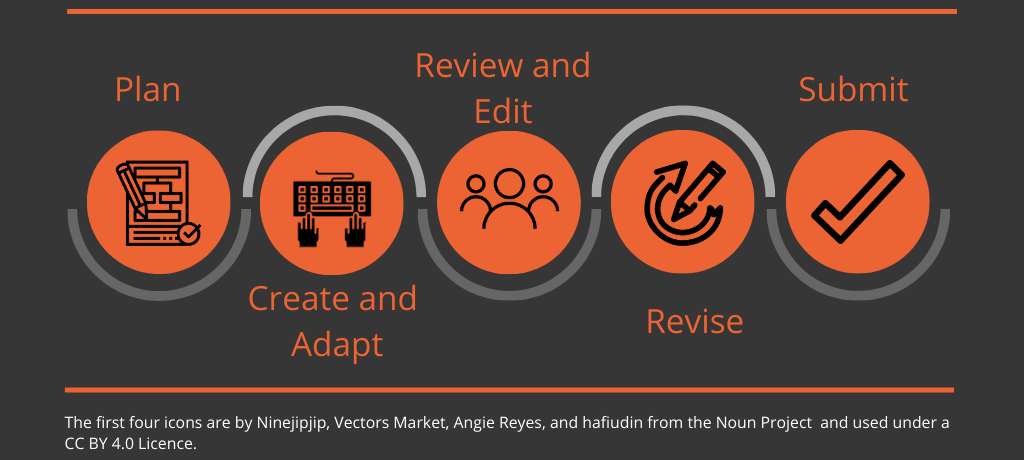
When creating or adapting a new OER, you will go through five general phases:
- Make a plan.
- Create and adapt content.
- Have the work reviewed and edited.
- Make any necessary revisions.
- Publish and share widely.
This section provides an overview of each of those phases and the resources available to help you.
Plan
- Review this whole resource, Getting Started with OER Publishing, to ensure you have a fulsome understanding of what is involved with creating an OER, and make note of areas where you may need help or more learning.
- Find collaborators. Identify people who can contribute to the project (including students, staff, and/or subject matter experts) as co-authors, reviewers, editors, instructional designers, etc. See “Contributing Authors” in the Self-Publishing Guide and “Building a Team” in the Rebus Guide to Publishing Open Textbooks (So Far).
- Connect with open education experts at your institution for support and guidance around things like open publishing, copyright, Creative Commons licences, and Pressbooks. This may include people who work in the Library, the Centre for Teaching and Learning, or an open education working group.
- Determine the tool you want to publish and share your OER in and familiarize yourself with that tool. This resource shares information about publishing in Pressbooks
- Plan your resource. Scope out the resource you want to create and identify what content you have and what you will need. This can include text, images, videos, etc. Determine the resource’s core structure and elements, like chapters, learning objectives, exercises, examples, glossary terms, and more. See “Plan Your Book” in the Self-Publishing Guide.
Create or Adapt
- Find existing or create new open content for your resource. This may include learning objectives, chapters, images, video, exercises and more. See the sections on Licences and Permissions and Find Open Resources in this resource.
- Ensure diversity, inclusion, and accessibility. Ensure all content reflects the human diversity of our world in a way that is inclusive and respectful and that the resource you are creating will be accessible to students with disabilities. See the sections on Diverse and Inclusive Representation in OER and Accessibility and UDL in this resource.
- Track source information. Track licence and source info for all non-original content. This will be used to provide attribution statements for reused and adapted work. See the section on Citation and Attribution in this resource.
Review, Edit, Revise
- Edit your own work for errors and inconsistencies. Ensure language is clear. See Effective Editing.
- Set up peer review. Bring in other subject matter experts to give feedback on the work. See Peer Review and Peer Review Process.
- Revise based on feedback received from reviewers and editors.
- Have work copyedited by someone who is not the author. There should be no changes to the content after this point. See How to Copy Edit, How to Proofread, and Guidelines for Copy Editors in the Self-Publishing Guide.
Final Steps
- Set up book cover and metadata. Select an official title for the resource, have a cover created, and write a short description of the resource. Ensure all metadata for the book is filled out, including the licence, authors, contributors, publish date.
- Share your book with the world!
Media Attributions
- OER Creation Process graphic by Josie Gray was created in Canva, and as such it cannot be openly licensed. It includes four icons from the Noun Project:
- Planning by Ninejipjip is licensed under a CC BY 4.0 licence.
- Typing by Vectors Market is licensed under a CC BY 4.0 licence.
- Group by Angie Reyes is licensed under a CC BY 4.0 licence.
- Review by hafiudin is licensed under a CC BY 4.0 licence